
External DAW Routing
For both studio and live performances, it is very helpful to get the output of your music programming environments into the DAW. This section shows the best practices to do that on all three major operating systems with CuperCollider and Pd in mind.
Linux
Flexible inter-software routing is native to Linux audio systems, since Jack (more and more Pipewire) is the default audio backend.
Start JACK (e.g., via
qjackctl, command line, ...)Set SC / Pd and Reaper audio system to JACK
Connect outputs to Reaper inputs in the JACK patchbay
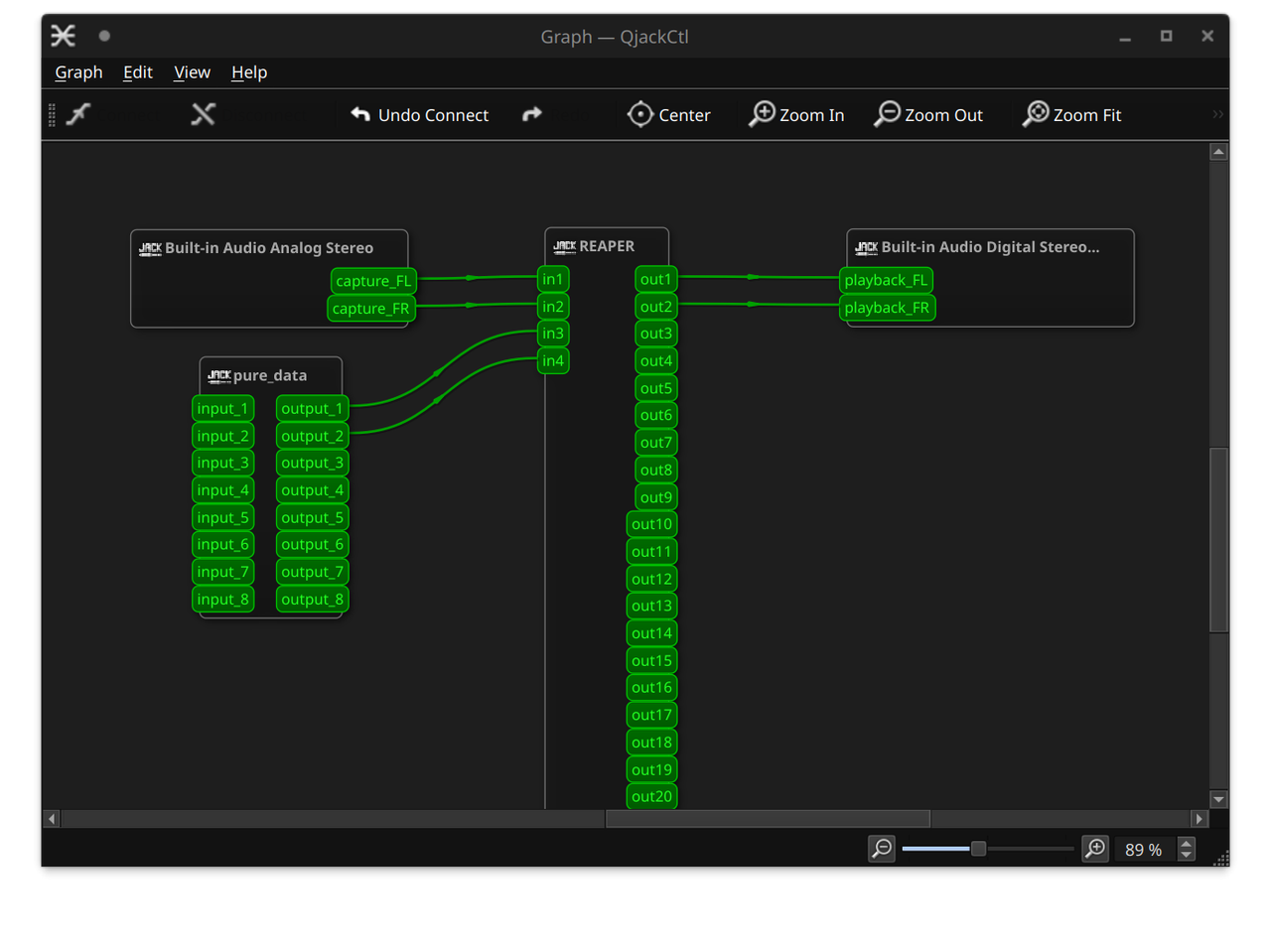
Jack patching in QjackCtl.
More on JACK: https://jackaudio.org/
macOS
Use BlackHole (virtual CoreAudio device).
Set SC / Pd audio device to BlackHole
In Reaper: Preferences → Audio → Device → CoreAudio → Input: BlackHole
Create track → select corresponding input channels
Jack also works on Mac (supposedly).
Windows
Use ReaRoute (ASIO). This needs to be installed during Reaper setup - reinstall Reaper if you cannot find ReaRoute.
Set SC / Pd audio device to ReaRoute ASIO
In Reaper use your normal ASIO driver
Select ReaRoute inputs on a track
Jack also works on Windows (supposedly).
Notes
It might be necessary to match sample rate and buffer size across applications. Most solutions take care of this.
For multichannel work, increase channel count in SC/Pd and in Reaper track routing.